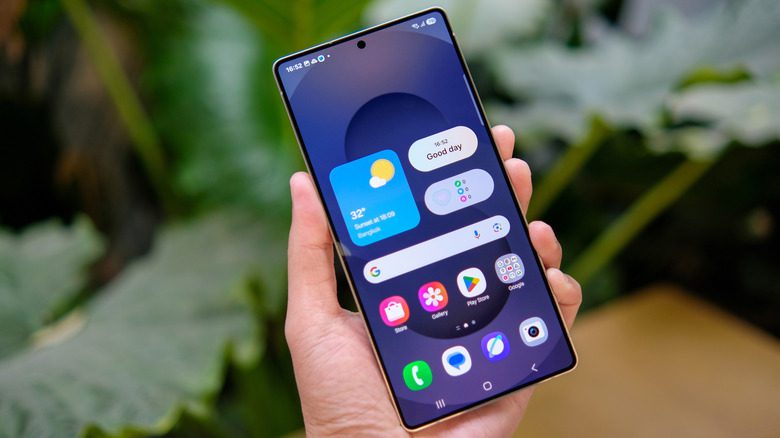
Android 17 Beta features 1 is finally here, bringing a mix of UI refinements, customization upgrades, privacy changes, and performance updates. While it may not be the biggest redesign in Android history, the Android 17 beta features focus heavily on polish, usability, and system refinement.
In this detailed guide, we break down all the major Android 17 features introduced in Beta 1, including home screen updates, quick settings changes, privacy controls, and performance benchmark
To read in detail click here
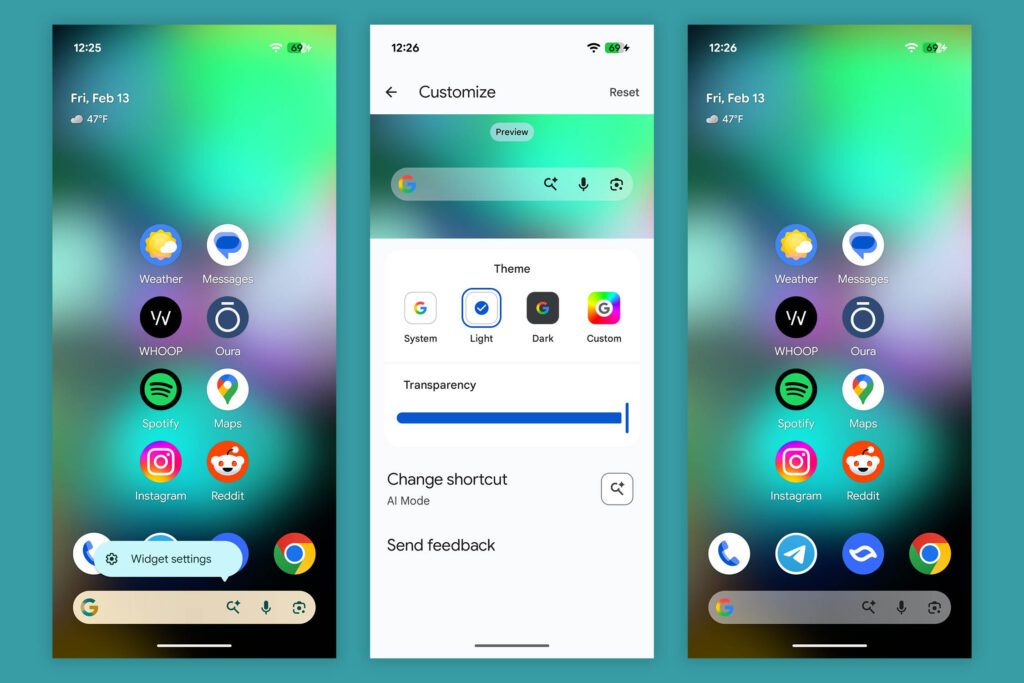
Customizable Search Widget
For the first time, users can:
- Choose between light, dark, or custom themes
- Adjust widget transparency
- Select custom colors
- Add an extra shortcut to the widget
Google has essentially replaced the native Pixel Launcher search widget with the Google app search widget, giving users more flexibility.
Improved Animations
Android 17 also introduces smoother widget animations. When opening and closing the search interface, transitions now feel more connected and refined.
Missing Pause App Feature
Interestingly, the “Pause App” option appears to be removed in Android 17 Beta 1, both from the app menu and recent apps screen.
Quick Settings Updates in Android 17
Status Bar Seconds During Screen Recording
When starting screen recording, the status bar clock now displays seconds automatically — a small but useful improvement.
Bigger Brightness Slider
The brightness slider is now slightly larger, making it easier to adjust.
Updated Location Indicator
The location indicator color has been changed in Quick Settings and the top-right status bar dot.
However, Android 17 Beta 1 still does not include the split notification shade and quick settings panel seen in earlier leaks.
Random UI Tweaks & System Changes
Android 17 features include several minor UI refinements:
- New icon for the volume panel
- Gemini assistant corner swipe now includes a shrink animation
- More compact settings layout to reduce scrolling
These changes may seem small, but together they create a more polished system experience.
Settings Menu Changes in Android 17
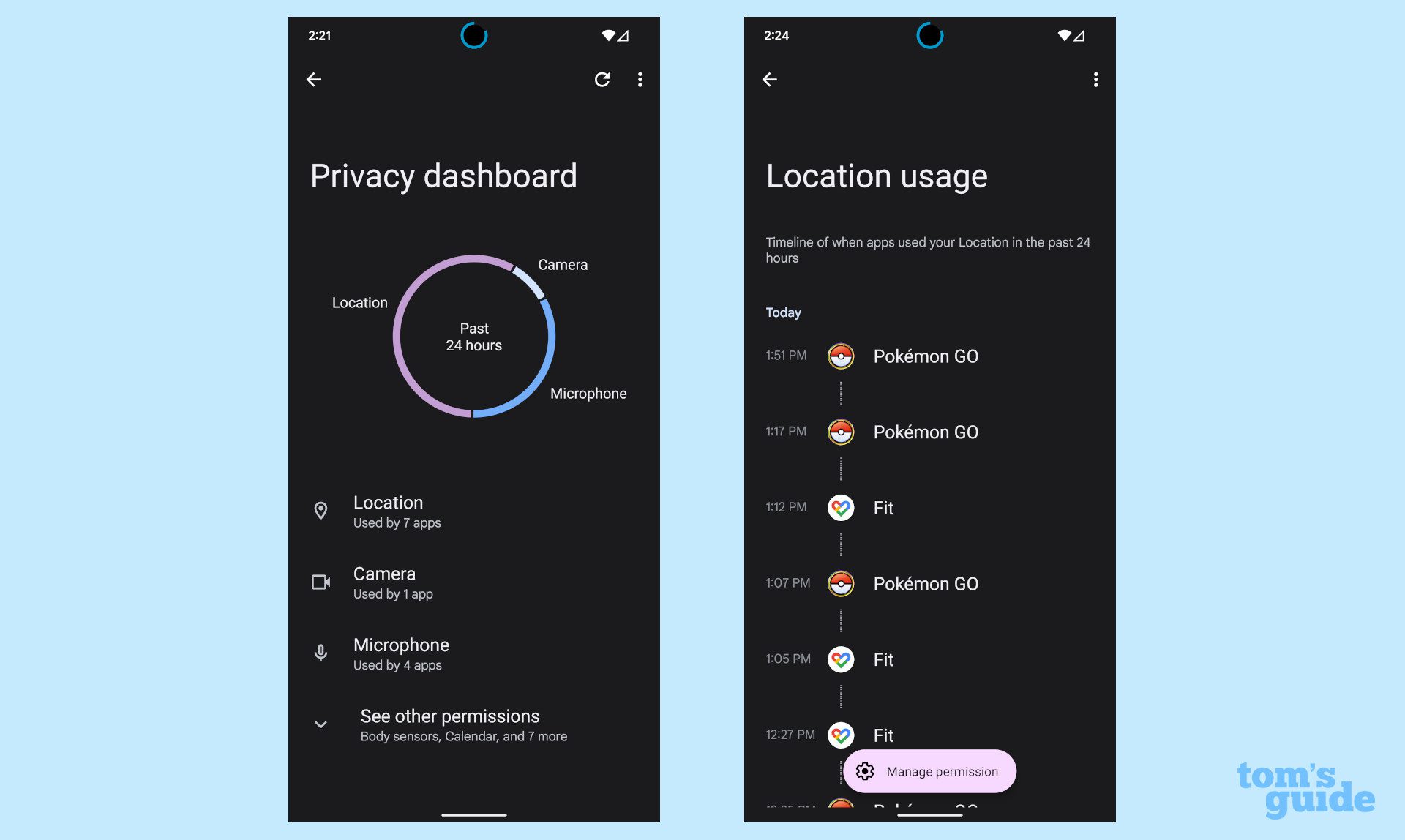
The Settings app has received meaningful refinements as part of Android 17 features.
Display & Resolution Tutorial
Under Screen Resolution, Android 17 now shows a dynamic comparison explaining:
- Max Resolution (clear image)
- High Resolution (pixelated preview example)
This replaces the old static image explanation.
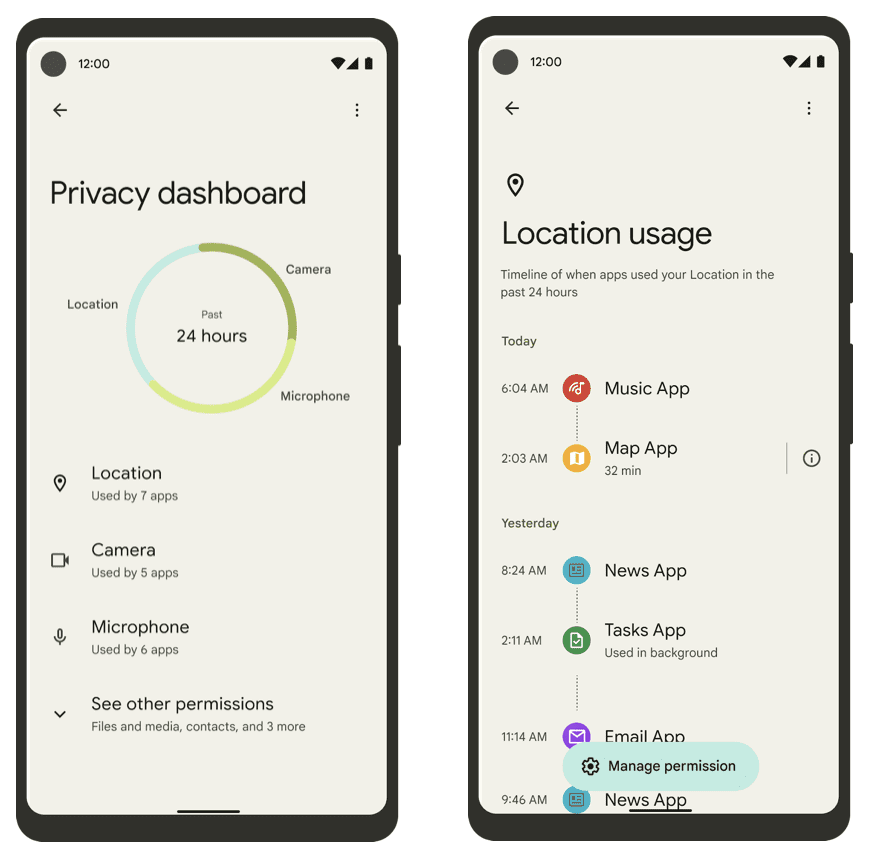
Privacy & Health Connect Updates
Major changes include:
- “Recent Access” renamed to “Your Health Apps”
- Permissions can now be granted directly using a plus (+) button
- Data access and recent access grouped together
- Rounded design for “See other permissions” button
Parental Controls Overhaul
- Toggle to disable parental controls removed
- To turn it off, you must delete the PIN
- New App Store Filters option
- Direct integration with Google Play parental controls
This gives parents more granular control over apps, games, movies, TV content, and books.
Android 17 Performance & Stability
When it comes to performance, Android 17 features focus more on stability than raw power improvements.
Stability
- Similar stability to Android 16 QPR3 Beta 2.1
- No major bugs reported
- Slightly smoother performance in daily use
Geekbench 6 Scores
CPU scores are slightly lower compared to Android 16:
- Multi-core: 4,69x (lower than previous 5,8xx range)
- Single-core: 1,37x (previously over 2,2xx)
GPU performance remains mostly unchanged.
Despite benchmark differences, real-world performance feels smooth and consistent.
Android 17 Beta 1 vs Canary 2602
Interestingly, Android Canary 2602 appears to include even more features than Android 17 Beta 1.
This suggests Google may be prioritizing experimental builds for early feature rollouts before stable beta releases.
Final Thoughts on Android 17 Features
Android 17 Beta 1 focuses on:
- Better widget customization
- Compact settings layout
- Improved privacy management
- Refined animations
- UI polish in Quick Settings
While it may not introduce groundbreaking redesigns, Android 17 features clearly aim at making the system cleaner, smoother, and more user-friendly.
If you’re already on beta builds, Android 17 feels stable and refined — but the biggest innovations may still be coming in future updates.
1 thought on “Android 17 Beta Features: Everything New in Android 17 Beta 1”