Introduction:
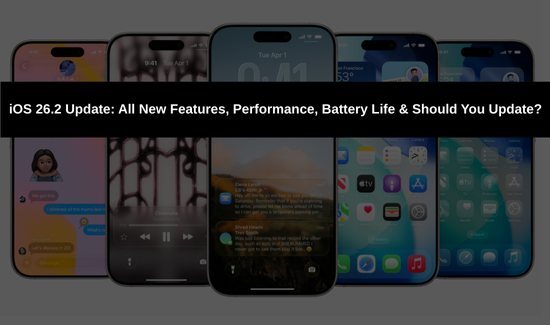
Apple iOS update alert! Apple has just released the latest Apple iOS update, iOS 26.2, on December 15, 2025. This Apple iOS update brings meaningful refinements to the Liquid Glass design, powerful new productivity features, enhanced security options, and system-wide polish that many users have been asking for. Whether you’re deciding if this update is worth installing immediately or want a full breakdown of what’s new, this guide covers every detail of the newest update.
The Apple iOS update to iOS 26.2 focuses on quality-of-life improvements rather than massive overhauls. It addresses feedback from iOS 26 and 26.1 while delivering important security patches, making this update highly recommended for all compatible devices (iPhone 11 and later).
Top Features in the Latest Apple iOS Update (iOS 26.2)
Liquid Glass Design Customization in Apple iOS Update
One of the most visible changes in this Apple iOS update is expanded control over the signature Liquid Glass interface:
- New slider in Lock Screen customization to adjust the clock appearance – slide left for a realistic liquid effect or right for a frosted glass look.
- Redesigned “Clear All” notifications button and silent mode indicator with circular Liquid Glass styling.
- Measure app’s level tool upgraded with dynamic, refractive Liquid Glass bubbles.
- Smoother, more fluid menu animations throughout the entire system.
These enhancements give users much-needed personalization in the latest Apple iOS update.
Urgent Alarms for Reminders – Biggest Productivity Upgrade in Apple iOS Update
Reminders gets a transformative feature in this update:
- Mark tasks as “urgent” to trigger full Clock app-style alarms (not just notifications).
- Alarms include snooze with live countdown timers, reschedule options, and a customizable “Complete” button.
- Persistent Lock Screen display ensures critical reminders are impossible to miss.
This is arguably the standout addition in the update for anyone relying on Reminders daily.
Enhanced AirDrop Security in Apple iOS Update
AirDrop becomes safer and more flexible with the latest update:
- New “Manage Known AirDrop Contacts” section in Settings.
- Temporary 30-day access via one-time codes – share files securely with non-contacts without permanently adding them.
Perfect for quick, safe transfers in public settings.
Apple Music and Podcasts Improvements in Apple iOS Update
Music and podcast lovers get welcome upgrades in this update:
- Full offline lyrics support: View synced lyrics for downloaded songs even in airplane mode.
- Larger, more immersive album and playlist artwork that fills more of the screen.
- Auto-generated chapters for podcasts without manual timestamps – surprisingly accurate and helpful for navigation.
Other Notable Changes in the Apple iOS Update
- Accessibility: New option to flash the screen (or screen + LED) for alerts.
- Health app: Stricter, more realistic Sleep Score grading system with customizable notifications.
- Freeform: Added support for tables.
- Games app: New filter to sort library by file size for easier storage management.
- News app: Prominent category tabs for faster navigation.
- Bug fixes: Control Center ghosting issue resolved.
- iPadOS 26.2: Improved Split View and Slide Over with better drag-and-drop snapping (in Windowed Apps and Stage Manager modes).
For complete official details, visit Apple’s iOS support page and the iOS 26.2 security content.
Performance and Battery Life in the Latest Apple iOS Update
Users report noticeable smoothness improvements in this update, with reduced lag and fewer visual glitches compared to iOS 26.1. Battery life also sees a slight but consistent boost across devices, making daily usage more efficient than previous versions. Combined with essential security fixes, these optimizations make the Apple iOS update a smart choice.
Should You Install This Apple iOS Update?
Yes – absolutely. The latest Apple iOS update (iOS 26.2) is stable, feature-packed, and addresses real user pain points. The urgent Reminders alarms, AirDrop security enhancements, offline lyrics, and Liquid Glass customization alone make it worthwhile. Add improved performance, better battery life, and security patches, and this iOS update is a no-brainer for most users coming from iOS 26.0 or 26.1.
Looking ahead: iOS 26.3 is expected in late January 2026, with major Apple Intelligence advancements likely arriving in iOS 26.4 around March.
What’s your favorite feature in this update? Let me know in the comments – urgent alarms, the Liquid Glass slider, or something else? Stay tuned for more coverage on every iOS update!